


Purpose
This article describes how to run an unscheduled scan to perform a one-time, immediate data collection with a collector client. Administrators may use it during collector client deployment, one-time collections, or troubleshooting.Prerequisites
The following prerequisites are required to run an on demand scan:- An existing SharpHound Enterprise collector client
- Logged in as a user assigned a role authorized to run a collector client on demand scan
Process
The process to run an on demand scan consists of the following steps:Choose a collector client
On the client that you want to schedule, click the icon in the Action column and select On Demand Scan.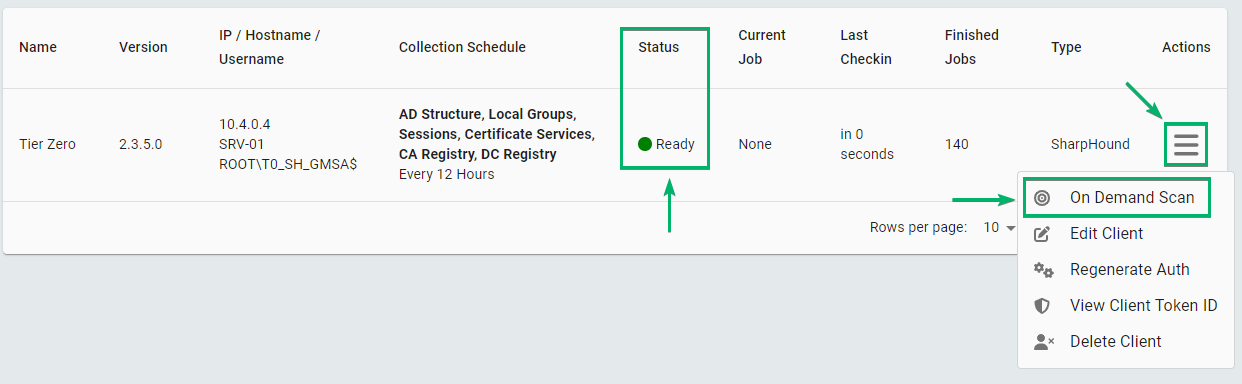
Configure and start the scan
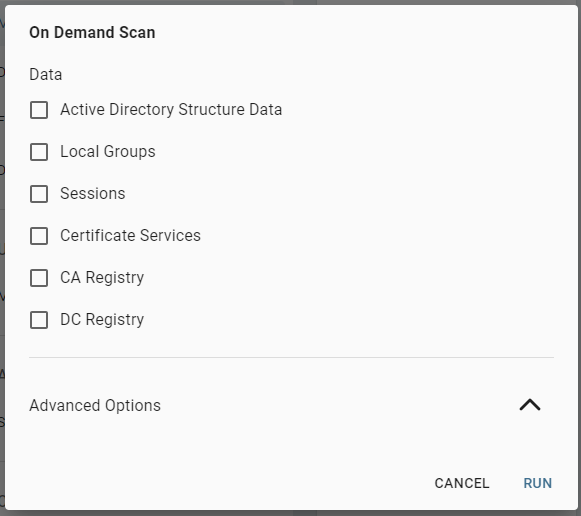
Configure the following details in the On Demand Scan window:
- Data: The type of data that the schedule collects
-
Advanced Options: See scanning options
Outcome
The client starts the on demand scan after the next client check-in (usually within one minute). After it starts, the client status shows Running a Job: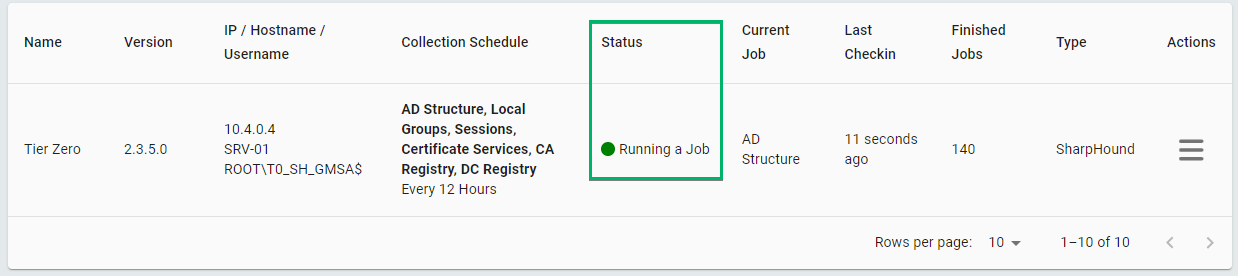
After the next schedule, see the job’s status on the Finished Jobs Log page.